 BFlat
4a1d1acddd
BFlat
4a1d1acddd
- **Characters for Seedance 2.0** - Character creation/selection modal,
@-mention support with colored inline highlights via contentEditable
MentionTextarea, character tokens sent in video generation API requests
- **Mobile responsive navbar** - Hamburger menu with slide-down panel,
all nav items accessible, credits/library/sign out included
- **Mobile responsive PromptBox** - Tighter padding, stacked toolbar on
small screens, flex-wrap for option buttons
- **Mobile responsive library** - Proper sticky header offset, icon-only
filter tabs on mobile
- **Task queue overhaul** - Prompt text with marquee hover, copy button,
model creator icons, detailed failure reasons on all card types
(matching desktop app)
- **Gallery improvements** - 512px thumbnails (was 250px), 12px grid
gap, model + media type badges on hover, model icon + prompt on
in-progress cards
- **Quality selector** - QualityPicker for image models
(High/Medium/Low), wired to cost estimate and generation API
- **Video batch enqueue** - Multiple videos enqueue as separate jobs so
each completes independently
- **Form consistency** - All auth pages use shared `<Input>` component,
`<form onSubmit>` for Enter key, consistent styling
- **Bug fixes** - Lightbox type error, library carousel disabled,
popover icon alignment, end frame library picker, image ref max default
(1 → 6), task queue mobile overflow, clear session button removed
- **Mobile model selector** - Model picker now appears in the PromptBox
toolbar on mobile/tablet (`lg:hidden`), since the floating bottom-left
selector is desktop-only
- **Responsive image prompt row** - Start frame and end frame sections
stack vertically on mobile with a horizontal divider, instead of
side-by-side
- **Responsive lightbox** - Stacks vertically on mobile (media top, info
below), nav arrows always visible (not hover-only), sidebar goes
full-width, darker backdrop (`bg-black/80`)
- **Safari video inline playback** - Lightbox videos use
`disablePictureInPicture`, `controlsList` restrictions, and
vendor-prefixed attributes to prevent fullscreen/PiP pop-out on Safari
The IDE for artists.




ArtCraft
ArtCraft is the IDE for interactive AI image and video creation. We turn prompting into crafting, so your ideas become a form of tangible expression and computing. This is Adobe Photoshop for everyone, and we're giving away the source code!
Show, Don't Tell: Advanced Crafting Features
Text-to-image is great, but artists need control. It's important to know what your image will look like before you generate it, and it's vitally important to achieve consistency and repeatability.
| Feature | Demo + Explanation |
|---|---|
| Image to Location | |
| 3D Image Compositing | |
| 2D Image Compositing | |
| Image to 3D Mesh | |
| Character Posing | |
| Scene Blocking w/ Kit Bashing | |
| Character Identity Transfer | |
| Background Removal | |
| Mixed Asset Crafting | 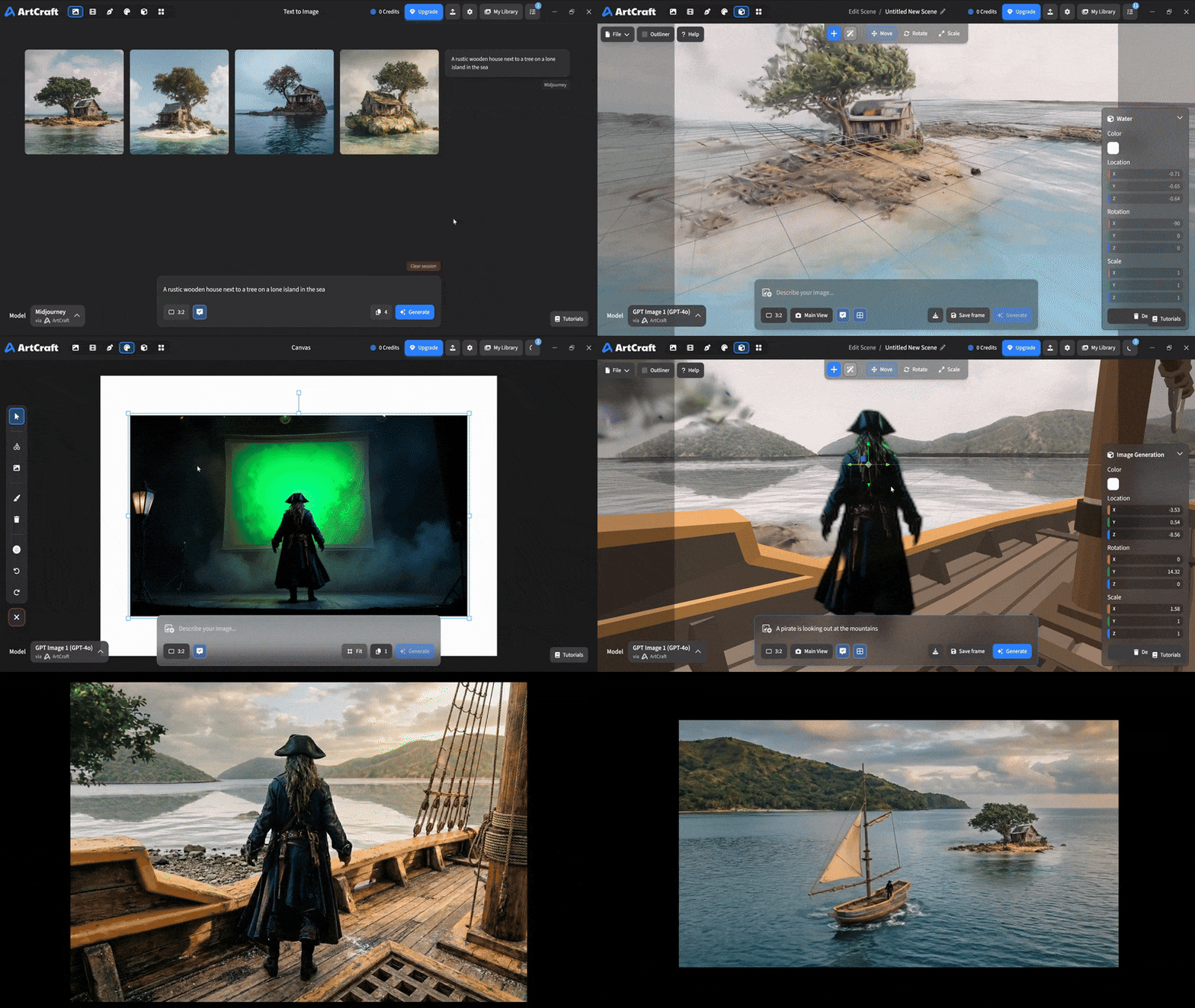 You can use image cutouts, worlds, and simple 3D meshes all together to precisely and intentionally lay out your scenes. You can use image cutouts, worlds, and simple 3D meshes all together to precisely and intentionally lay out your scenes. |
| Scene Blocking | (preview coming soon) |
| Canvas Editing | (preview coming soon) |
| Scene Relighting | (preview coming soon) |
Note: all of the above videos were generated for free with Grok Video; the cost to build this README was negligible.
Quick and Easy Prompting
We haven't abandoned text-to-asset generation for quick prototyping and ideation. We support every popular workflow in a first class fashion.
| Feature | Demo + Explanation |
|---|---|
| Text to Image | |
| Image Editing | |
| Image Editing | |
| Image to Video | |
| Image Inpainting | (preview coming soon) |
| Image Ingredients | (preview coming soon) |
Models and Providers Supported within Artcraft
| Provider | Features |
|---|---|
| Artcraft | Nano Banana, Nano Banana Pro, GPT-Image-1 / 1.5, Seedance 1.0 Lite / 1.5 Pro / 2.0, Seedream 4 / 4.5, Flux 1.1 / Kontext, Veo 2 / 3 / 3.1, Kling 1.6 / 2.1 / 2.5 / 2.6, Sora 2 / Pro, Hunyuan 3d 2 / 3 |
| Grok | Grok Imagine, Grok Video |
| Midjourney | Image Gen (all versions) |
| Sora | Sora 1, Sora 2, GPT-Image-1 |
| WorldLabs | Marble (Gaussian Splat World Generation) |
We're going to be adding the following providers soon: Kling (via Kling website accounts), Google (via API keys), Runway (via website account), Luma (via website account).
We're potentially interested in adding other aggregators for those who already have subscriptions and credits at those providers, for example: OpenArt, FreePik, etc.
Downloads
- Visit our website for the stable Windows and MacOS releases
- Or you can grab a more recent Windows and MacOS build directly
- Linux requires building from source for now